Sound Control - An Alternative Freeware Windows Sound Mixer And Volume Control Applet

First released in July 1999 and updated regularly until March 2010, Sound Control is a freeware replacement Windows Sound Mixer applet which together with most of the features of the standard Windows mixer it also allows you to add hot keys to adjust any combination of your sound mixer volumes. Support to control Winamp (and compatibles) with a series of hot keys, CD Player and an On Screen Display is also included. Supports Windows 95 / 98 / Millennium-Me / NT4 / 2000 / XP / Vista1 and 71.
Requirements
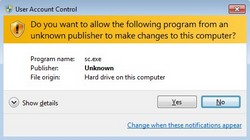
- Windows 95 / 98 / NT4 / 2000 / XP / Millennium-Me / Vista1 / 71 (1: important compatibility notes for these and newer operating systems)
- 100% compatible Windows sound card or other audio device
- A Winamp v5.5 or compatible media player (optional)
Features
General Features
- Increase and decrease the sound volume of any combination of mixers using definable hot keys
- Easily adjust any mixer if you have no corresponding control on your amplifier or if it is in a difficult to reach position
- Multiple languages supported
- No run-time files needed
- Context sensitive help
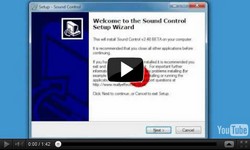
- Install / Uninstall support
- No nag screens
- No restricted features
- No Spyware, Adware or Malware
- No expiry date
- Sound Control is free to use subject to conditions given in the software license
Mixers And Hot Keys
- Independent hot keys for each mixer, volume increase, volume decrease and mute
- Multiple Sound Card/Device support (limited)
- Synchronisation with external sound mixers (e.g. Sound Control will reflect any changes made using other sound mixer applications)
- Set and remove default sound levels for each mixer
On Screen Display
- Automatically position top left, top right, bottom left, bottom right, center or where last positioned with the mouse
- Configurable delay for how long On Screen Display remains on the screen
- Font Name configurable
- Font Style configurable
- Font Size configurable
- Font Colour configurable
- Outline any scalable font for easy viewing
- Specify default sound level increment
- (Display song name / track number in On Screen Display when it changes)
Winamp Or Compatible Hot Keys
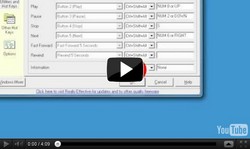
- Open Winamp/Playlist hot key
- Previous song hot key
- Play/Pause song hot key
- Next song hot key
- Stop song hot key
- Fast Forward hot key
- Fast Rewind hot key
- Volume Up hot key
- Volume Down hot key
- Jump to File hot key
- Jump to Time hot key
- 10 Tracks Back hot key
- 10 Track Forward hot key
- Information hot key
- ID3 Tag hot key
- Configurable playlist hot keys for your favourite tracks
- Shuffle
- Open File
- Fade To Mute
- Preferences / Options
- (Display song name in On Screen Display when it changes)
Other Options
- Automatically load Sound Control at startup
- Beep when hot key is processed
- Force Winamp's Jump To File window to the top
- Enforce no mouse movement when single clicking for simple volume selector
- Hide tray icon
- Load default sound volumes at startup
- Specify double click on tray icon action
- Specify delay before simple volume selector is displayed
- Specify delay when interfacing with external applications
Miscellaneous Hot Keys
- Open Sound Control options hot key
- Global Disable of Sound Control hot key
- Load Default Volumes hot key
Application Hot Keys
- Hot key for Standard Windows Mixer
- Two user configurable hot keys for any applications
CD Player Hot Keys
- Play/Pause track hot key
- Previous track hot key
- Next track hot key
- Stop track hot key
- Jump To Track hot key
- Specify CD-ROM drive in multiple CD-ROM systems
- (Display track number in On Screen Display when it changes)
Messages And Translations
- Foreign language translations of On Screen Display messages
- Configure alternative wording for all On Screen Display messages
Screenshots
Download

Support
An alphabetical list of all Sound Control related support posts can be found below. If you prefer you can also view a date ordered list of all support posts with excerpts. If you continue to have problems contact us.