TICK - A Freeware Windows Dial Up Enhancer
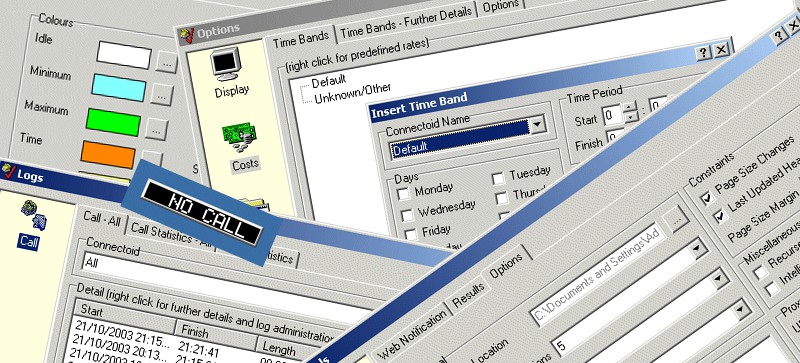
First released in August 1998 and updated frequently until October 2002, TICK is probably the ultimate freeware dial up enhancer for Windows 95 / 98 / Millennium-Me / NT4 / 2000 and XP. Logs all dial up networking calls including length and cost of call and the amount of data transferred. Uses no runtime files and has POP3 mail checker, finger, ping, web notify tools, pop-up digital display, password database, IP Address finder, context sensitive help and lots more.
Requirements
- Windows 95 / 98 / NT4 / 2000 / XP / Millennium-Me (important compatibility notes for newer operating systems)
- Connection to the Internet via a standard Windows Dial Up Networking connection
- For Windows 95 users only (
Dial Up Networking v1.3 update)
Features
General Features
- Automatically detects internet connection
- Transmit and receive lights
- No run-time files needed
- IP Address finder
- Context sensitive help
- Install / Uninstall support
- No nag screens
- No restricted features
- No Spyware, Adware or Malware
- No expiry date
- TICK is free to use subject to conditions given in the software license
Charge / Time Band Rates
- Define different charge options for each Dial Up Connection
- Define time ranges and corresponding cost per minute
- Indicate the days which a charge band entry should be considered
- Predefined rates
Web Notification
- Easily check for updates on all your favourite sites
- Automatically recurse down a level for sites with their first page based on frames
- Updated sites are displayed in a list on the left, clicking a site displays it on the right hand side
Display Options
- Intelligent digital display. Can be set to move when cursor approaches
- Display cost and length of call in display
- Display estimated throughput (DTR) in display
- Set your preferred colour for each display
- Customise the decimal places used in each option
- Hide digital display whilst not connected
Tools
- POP3 mail checker
- Finger and Ping facilities
Miscellaneous Options
- Set minimum and maximum charge and % discount rate
- Sound an alarm when you connect and disconnect
- Add and remove a shortcut so TICK can be automatically loaded whist Windows is loading
- Disconnect after X minutes of no activity or after specific times
Logging Options
- Logs all calls made
- Records Date/Time of call, cost and data transferred
- Recovers current log entry if system crashes
- Ability to adjust log entries
- Statistical data estimating weekly, monthly and quarterly bills
Application Options
- Define applications which should be processed whilst connected
- Indicate when the applications should be executed - when connecting or disconnecting and if they should be closed at disconnection
- Ability to indicate the start up status - minimized, maximized, hidden or normal
Password Database
- Keep track of all your passwords
- Never forget a password again
Screenshots
Download
Support
An alphabetical list of all TICK related support posts can be found below. If you prefer you can also view a date ordered list of all support posts with excerpts. If you continue to have problems contact us.